Examples
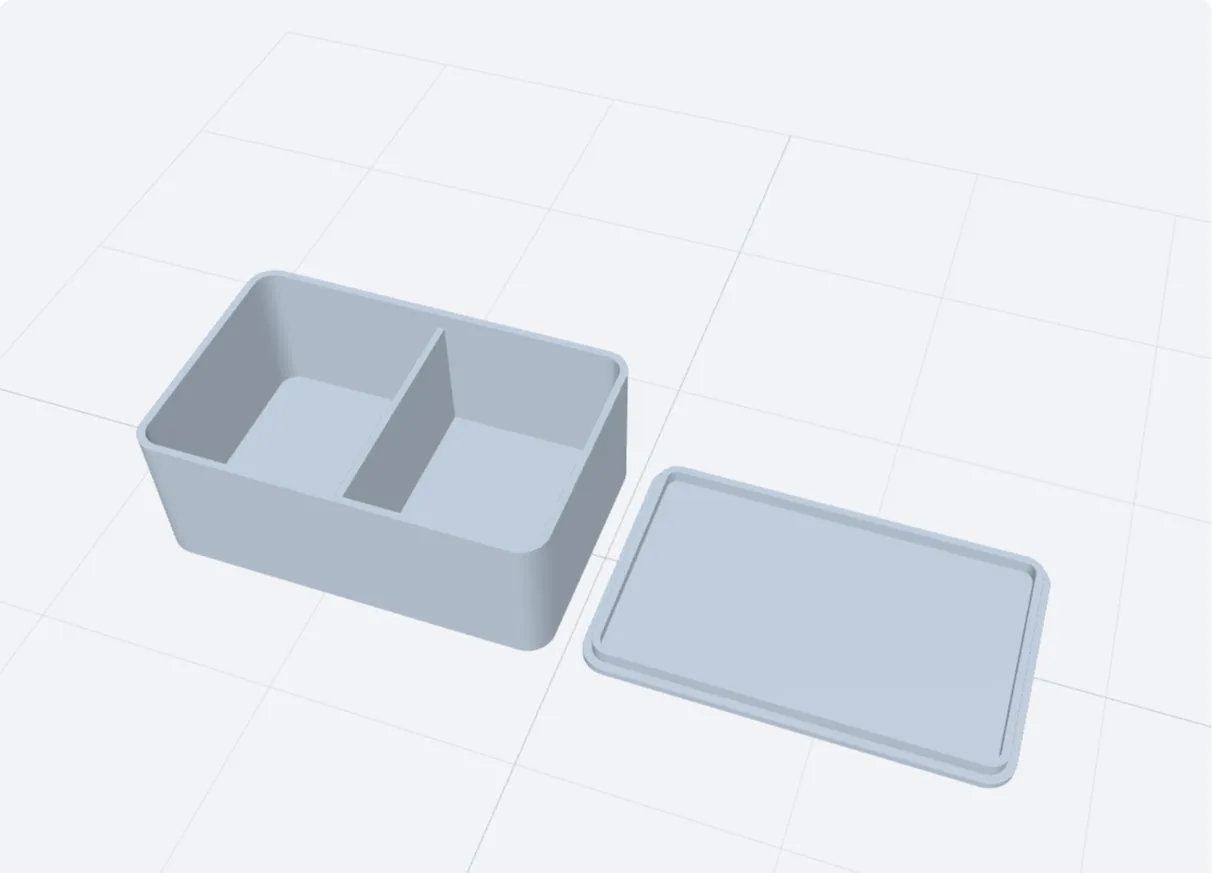 Small parts box80 × 50 × 30 mm inside, two compartments, drop-in lid
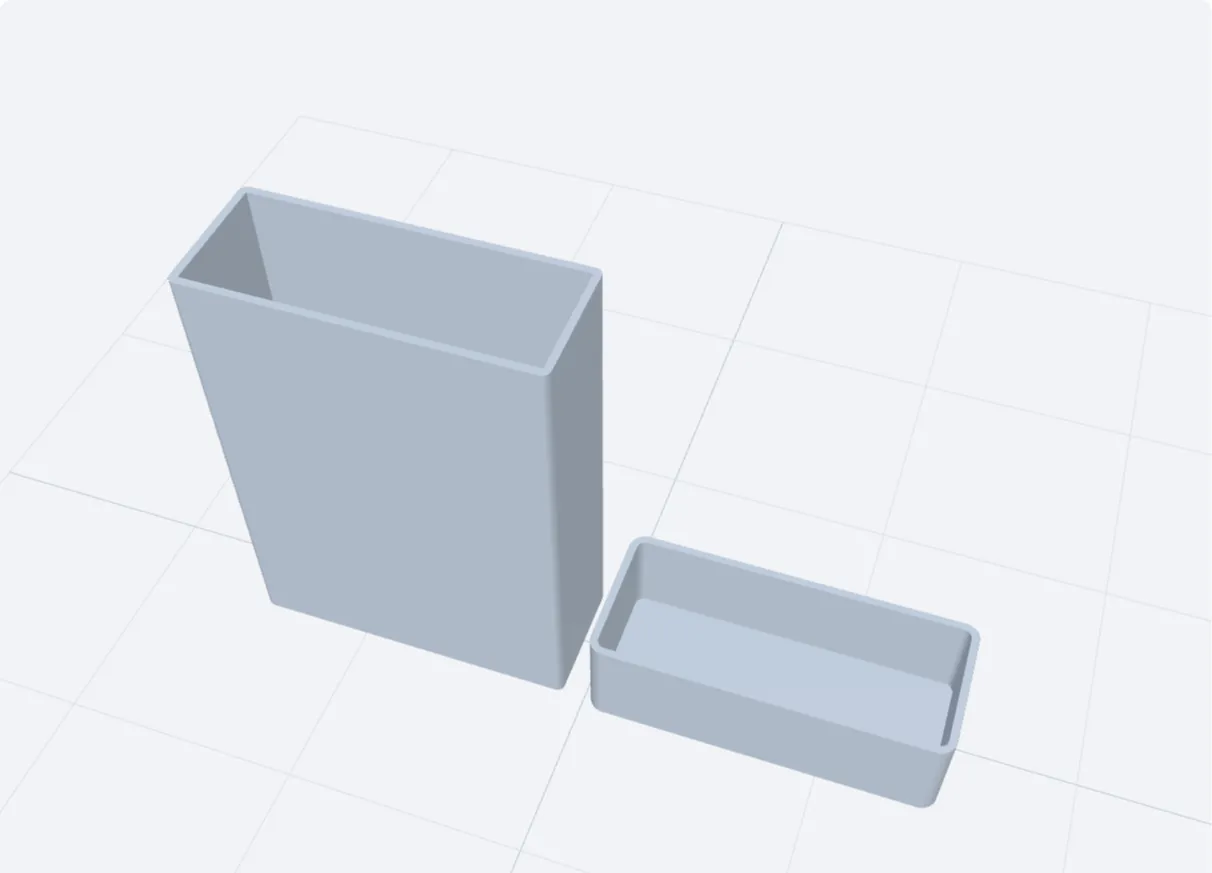 Card box with a capSquare corners, lid over the outside
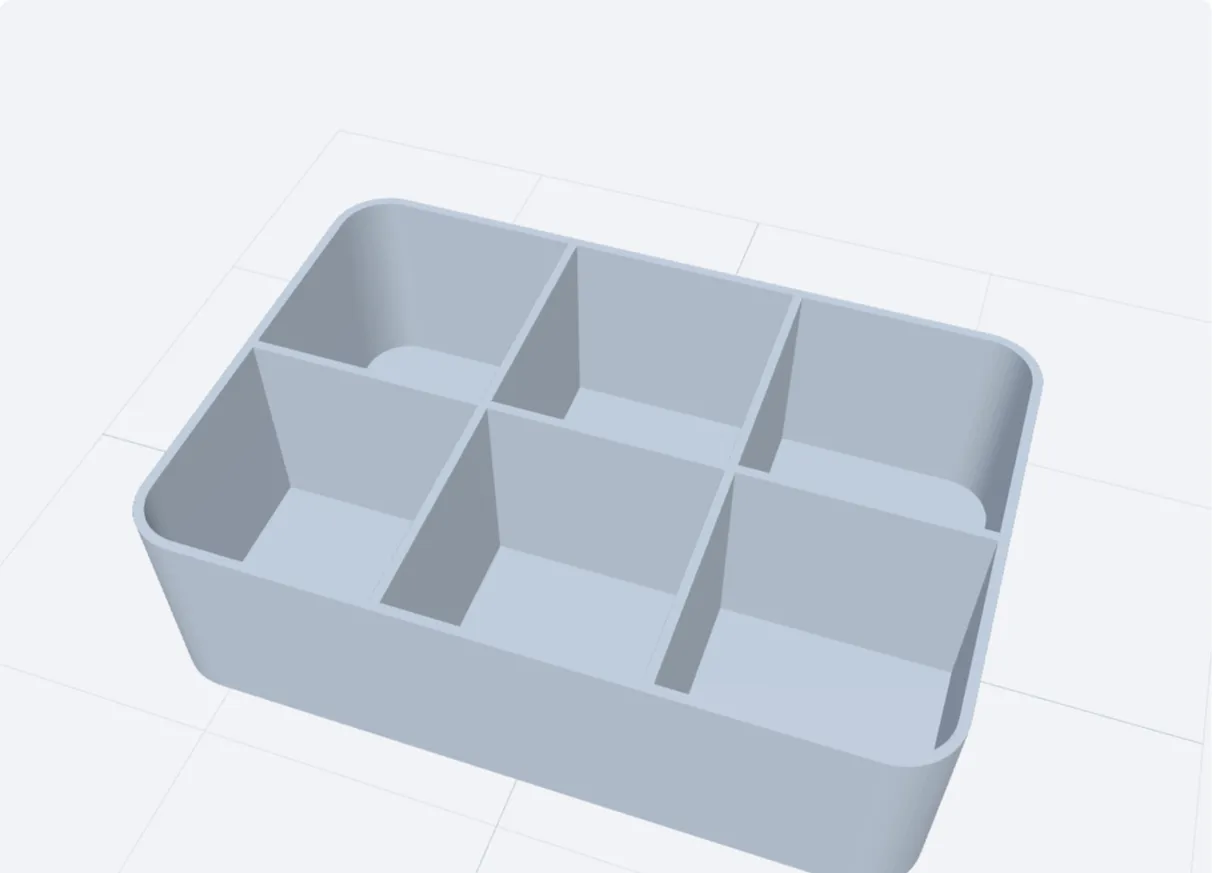 Open organiser3 × 2 compartments, no lid
These pictures are this tool's own preview, not photographs. Click one to open the tool with those settings. Printed something with it? Send a photo to hello@3dfiles.app and it can be shown here.
How to make a box that fits
- Type the inside width, depth and height: the space your things need. The outside grows by the wall thickness.
- Set the wall and floor. Two or three nozzle widths (0.8 to 1.6 mm) are enough for small boxes; use 2 mm or more above 150 mm.
- Round the corners if you like, and add columns and rows for compartments.
- Choose the lid and download. Box and lid are in one file, side by side, both printing without supports.
The two lids
| Lid | How it holds | Good for |
|---|---|---|
| Drops in | A rim under the lid sits inside the walls. | Storage boxes, drawers, anything stacked. The outside stays flush. |
| Cap | The lid goes over the outside of the box, like a shoe box. | Gift boxes, card boxes, boxes that should open easily. |
Clearance: why 0.2 mm
Printed parts come out slightly larger than drawn, because the molten line spreads. A lid drawn to the exact size of the opening will not go in. Clearance per side is the gap left between lid and box: 0.2 mm gives a snug fit on a well-tuned printer, 0.3 mm a loose one. If your first lid is tight, raise it by 0.05 mm and print only the lid again.
Compartments
Columns and rows split the inside evenly with dividers as thick as the wall. With a drop-in lid the dividers stop a little below the rim, so the lid still closes.
Common questions
Do the dimensions mean inside or outside?
Inside. A box set to 80 × 50 × 30 mm with a 1.6 mm wall measures 83.2 × 53.2 mm outside. Both sizes are shown under the buttons.
Does it need supports?
No. The box prints open side up, and the lid prints with its flat top on the bed.
My lid is too tight or too loose
Change the clearance by 0.05 to 0.1 mm and reprint the lid. Elephant-foot on the first layers also makes lids tight: a small chamfer in the slicer or a lower first-layer flow helps.
Can I add a label or text?
Not in this tool. Add text in your slicer, or make a label plate with the 3D text generator.
Is it free?
Yes – 2 downloads a day are free, with no sign-up or watermark. Pro (free for 7 days) makes it unlimited.
Is my file uploaded?
No. The file is processed in your browser and never leaves your device.